Landing Page
Timeline
Summary
Date: April 2025
Client: Srishti Foundation
Team members:
Bryle Flores – Art Director, Motion Designer
Music Apapat Juntarattanakamol – Social Media Manager, Graphic Designer
Bernardo Macapagal – Graphic Designer, Videographer
Isaac Bilyea – Frontend Developer, Backend Developer
Milana Gabbassova – Project Manager, Backend Developer
Tools used:
- Web Development:
- HTML, CSS, JavaScript, GSAP, Lumen (PHP Framework), MySQL, Vue.js
- Design & Branding:
- Figma, Adobe Illustrator, Adobe Photoshop
- 3D & Motion:
- Adobe After Effects, Adobe Premiere Pro, SketchUp, Enscape
- Project Management:
- Trello
Overview
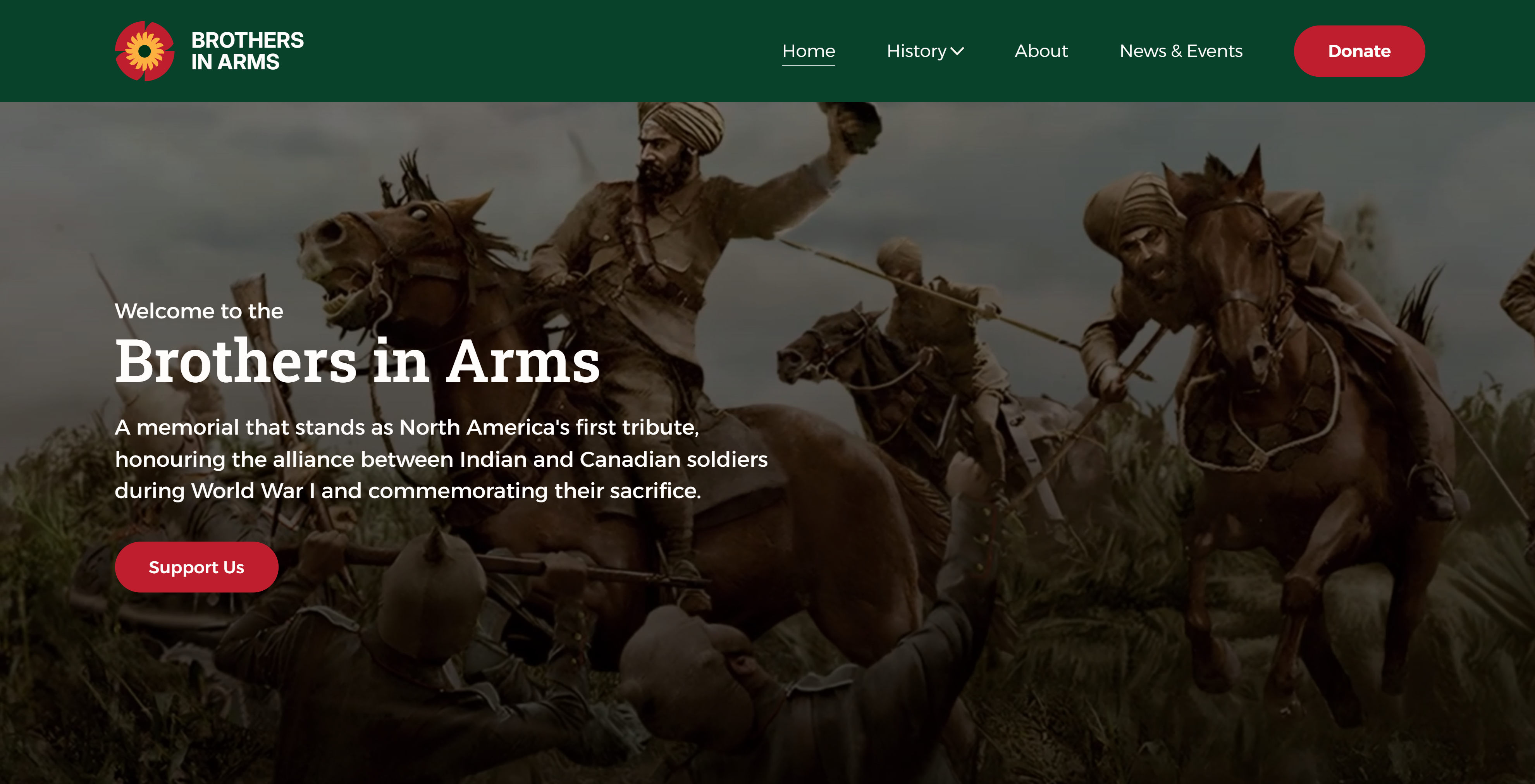
Brothers In Arms is a school-based capstone project developed during our final term in the Interactive Media Design program. As part of the Five Alive team, we were challenged to create a complete digital experience for a real-world client from the ground up. The goal was to raise awareness about the untold story of Indian and Canadian soldiers who fought side by side during World War I.
Our client, the Srishti Foundation, commissioned the project as part of their efforts to raise donations for building a memorial - a space dedicated to honoring the bravery and sacrifices of these soldiers and ensuring their story is not forgotten.
Our team was responsible for every aspect of the project - from branding and logo design to research, user experience, web development, and video production. We began by organizing and conducting a full interview with the client to better understand the project's vision and historical significance. Throughout the process, we learned new tools and techniques to deliver a polished, professional-level outcome.
The result was a fully custom-built website, supported by a Lumen-based API, that features immersive storytelling, responsive design, and carefully crafted visuals. This project was not only a technical and creative challenge but also an opportunity to collaborate directly with a client and bring a meaningful initiative to life.
Goal
- Raise awareness about the lesser-known history of Indian and Canadian soldiers who fought together during World War I – highlighting their sacrifices and reminding audiences that freedom comes at a cost. Engage different audiences across generations through storytelling and accessible design.
- Encourage and collect donations to support the construction of a physical memorial, as envisioned by our client, the Srishti Foundation.
- Design a complete brand identity for the campaign, including a logo, color palette, and visual style that reflects both the cultural and historical context of the project.
- Develop a fully responsive website that is accessible, easy to navigate, and capable of handling dynamic content through a custom-built backend (Lumen API).
- Build trust and credibility through a professional and emotionally engaging user experience that motivates visitors to learn more, share the story, and contribute to the cause.
Process
Project Planning & Setup
- Created a Trello board to manage tasks and deadlines
- Set up shared Figma files and Google Docs for collaborative planning
- Defined team roles and overall project timeline
Branding Development
- Designed the logo and established the visual identity
- Selected typography and color palette that reflect the project's tone
- Ensured visual consistency across all platforms
Research, Content Strategy & Design
- Conducted historical research and gathered content from the client
- Created a sitemap and wireframes based on content hierarchy
- Designed the website layout and individual pages in Figma
Frontend Development
- Built the layout using HTML, SCSS, and JavaScript
- Implemented responsive styling and animations with GSAP
- Integrated all static content and ensured cross-browser compatibility
Backend Development
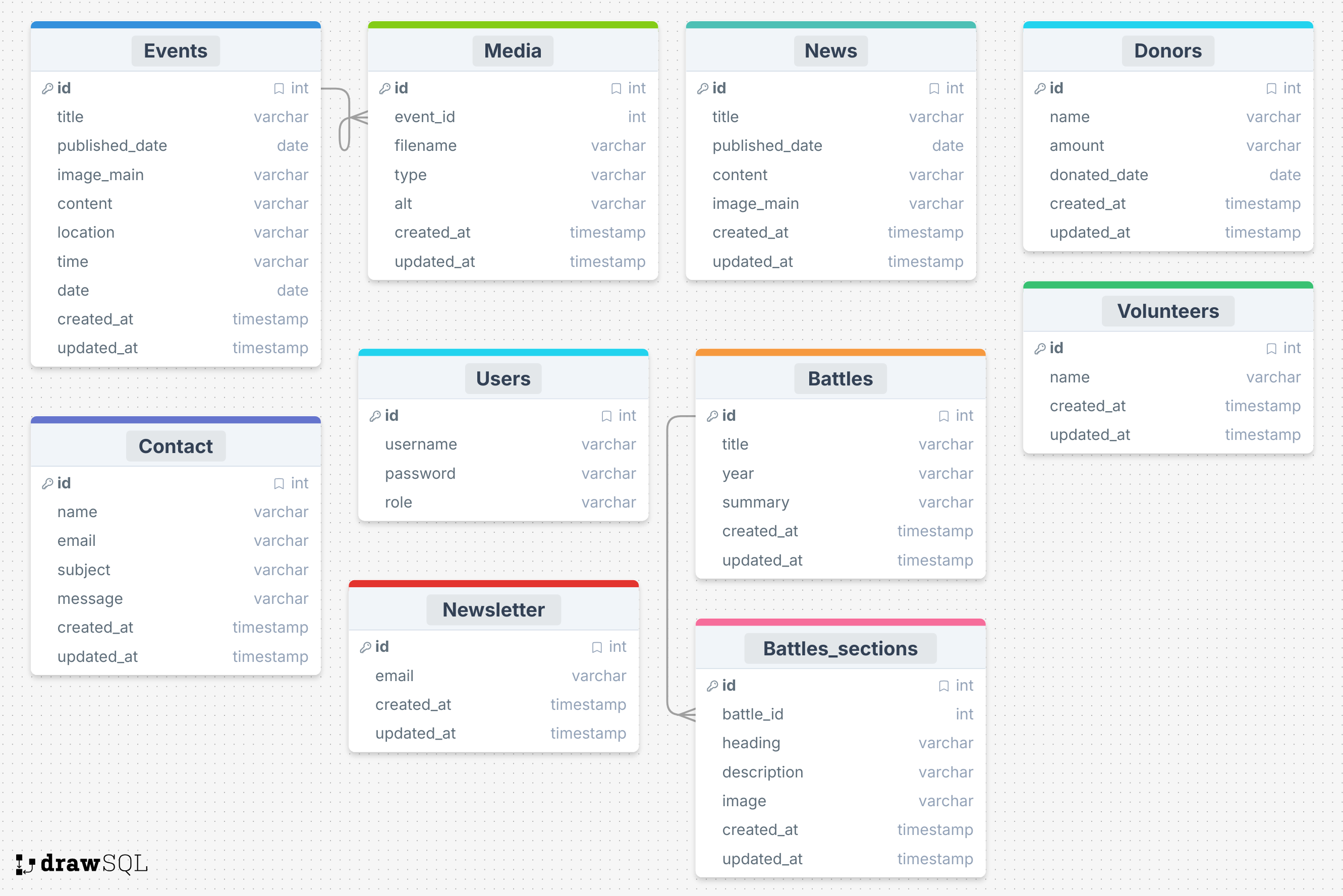
- Designed a relational database structure based on content needs
- Built a RESTful API using Lumen (PHP framework)
- Developed routes, models, and controllers
- Tested all endpoints to ensure proper data flow and response handling
Frontend–Backend Integration
- Connected the Vue.js frontend with the Lumen API
- Pulled dynamic data (e.g., news, events, donors and volunteers information)
- Ensured smooth data binding and error handling
Final Testing & Launch
- Performed usability and performance testing
- Deployed the live site
- Shared the launch with the client and received final feedback
Role
As the Project Manager, I was responsible for organizing and overseeing the entire development process. I set up and managed our Trello board to assign tasks and track progress, created a shared Figma workspace for design collaboration, and maintained documentation in Google Docs to keep everything centralized. I scheduled and led regular meetings to ensure the team stayed aligned with our goals and deadlines. I also handled communication with the client — providing updates, gathering feedback, and ensuring their input was reflected in our work.
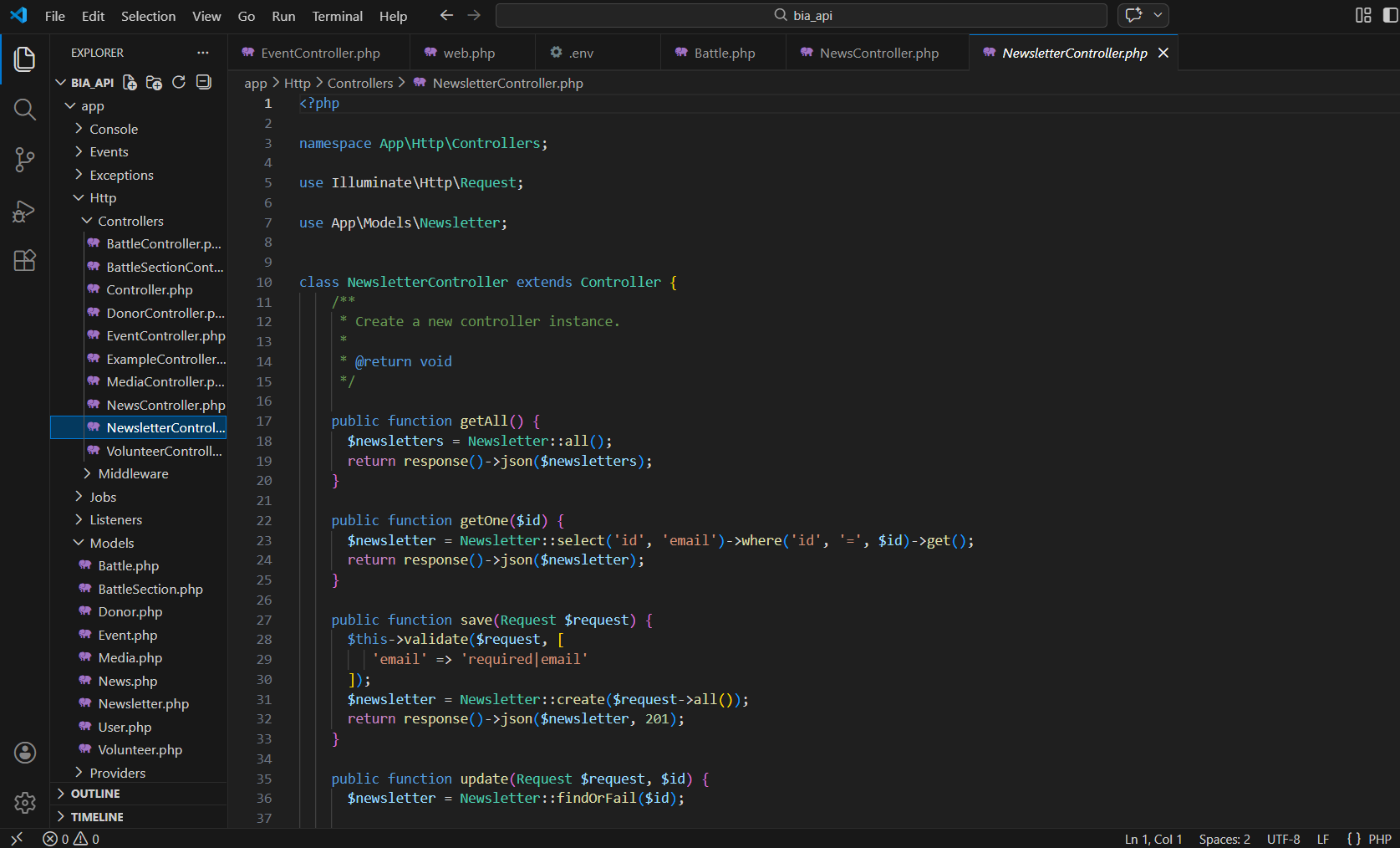
As the Backend Developer, I worked closely with Isaac, our frontend developer, to build and connect the backend infrastructure. I designed and structured the database to support dynamic content and developed a custom RESTful API using the Lumen PHP framework. This included setting up routes, models, and controllers, as well as testing all endpoints for proper functionality. I also built a custom content management system (CMS), allowing the client to easily manage and update their website content without technical assistance. The backend was fully integrated with the Vue.js frontend, ensuring smooth content delivery and user interaction.
Key Features
Interactive 360° Memorial View
A 3D immersive experience that allows users to explore the future memorial park virtually. Hotspots are placed throughout the space to provide detailed information about different areas of the park.Educational Matching Game
A fun and engaging memory game where users match 6 pairs of cards to reveal interesting historical facts about Indian and Canadian soldiers during World War I – making learning interactive for all ages.Battle Timeline
A dynamic, scrollable timeline showcasing major battles where Indian and Canadian troops fought together. Each point includes historical context, dates, and visuals for a deeper understanding.Live Donation Bubbles
A real-time donation feature displaying animated "bubbles" with the names of donors as they contribute. This adds transparency and encourages community participation by showing ongoing support.FAQ Section
A dedicated section addressing common questions about the memorial project, donation process, and the historical background – helping users feel informed and confident about their contributions.
Challenges & Solutions
Client-Centered Design Process
Challenge: Unlike previous school projects where we had full creative freedom, this time we were working with a real client - meaning we had to design based on their vision, feedback, and goals rather than our personal preferences.
Solution: At first, it was challenging to shift our mindset, but after our initial presentation and consistent communication, we learned how to actively listen to the client's feedback and adapt our work to meet their expectations. This collaboration led to a final product that the client was genuinely happy with.
Balancing Workload Across Multiple Courses
Challenge: Alongside this major project, we were also responsible for completing other assignments and coursework. It was difficult to fully dedicate ourselves to the project while meeting all academic deadlines.
Solution: We focused on time management by finishing smaller assignments early and prioritizing project milestones. This helped us stay on track and ensured we could deliver a high-quality final product without compromising our other responsibilities.
Integrating Complex Features with Limited Experience
Challenge: Some of the interactive features we aimed to implement - like the 360° view, live donation updates, and custom CMS - were new to us, and we didn't have prior experience working on them.
Solution: We took the initiative to research and learn new tools and techniques, divided technical tasks among team members based on strengths, and supported each other through collaborative problem-solving. This allowed us to build features that felt professional and functioned reliably.
Results
The Brothers In Arms project was a major success - both in terms of execution and outcome. Our team delivered a fully functional, responsive website complete with a custom backend, engaging interactive features, and a user-friendly CMS. The final product met all of the client's needs and helped them communicate their mission of honoring Indian and Canadian soldiers while encouraging public donations for the memorial.
This project also gave us the opportunity to work in a real-world setting, sharpening our skills in communication, project management, and client collaboration. We learned how to adapt to client feedback, manage complex features under tight deadlines, and balance creativity with professionalism.
Most proudly, our project was selected as the winner out of 10 competing teams - chosen by the client for its strong concept, functionality, and execution. It was a valuable experience that challenged us to grow as both developers and collaborators.
Explore Other Projects